
Manual espresso · Android
You press. ShotPilot keeps count.
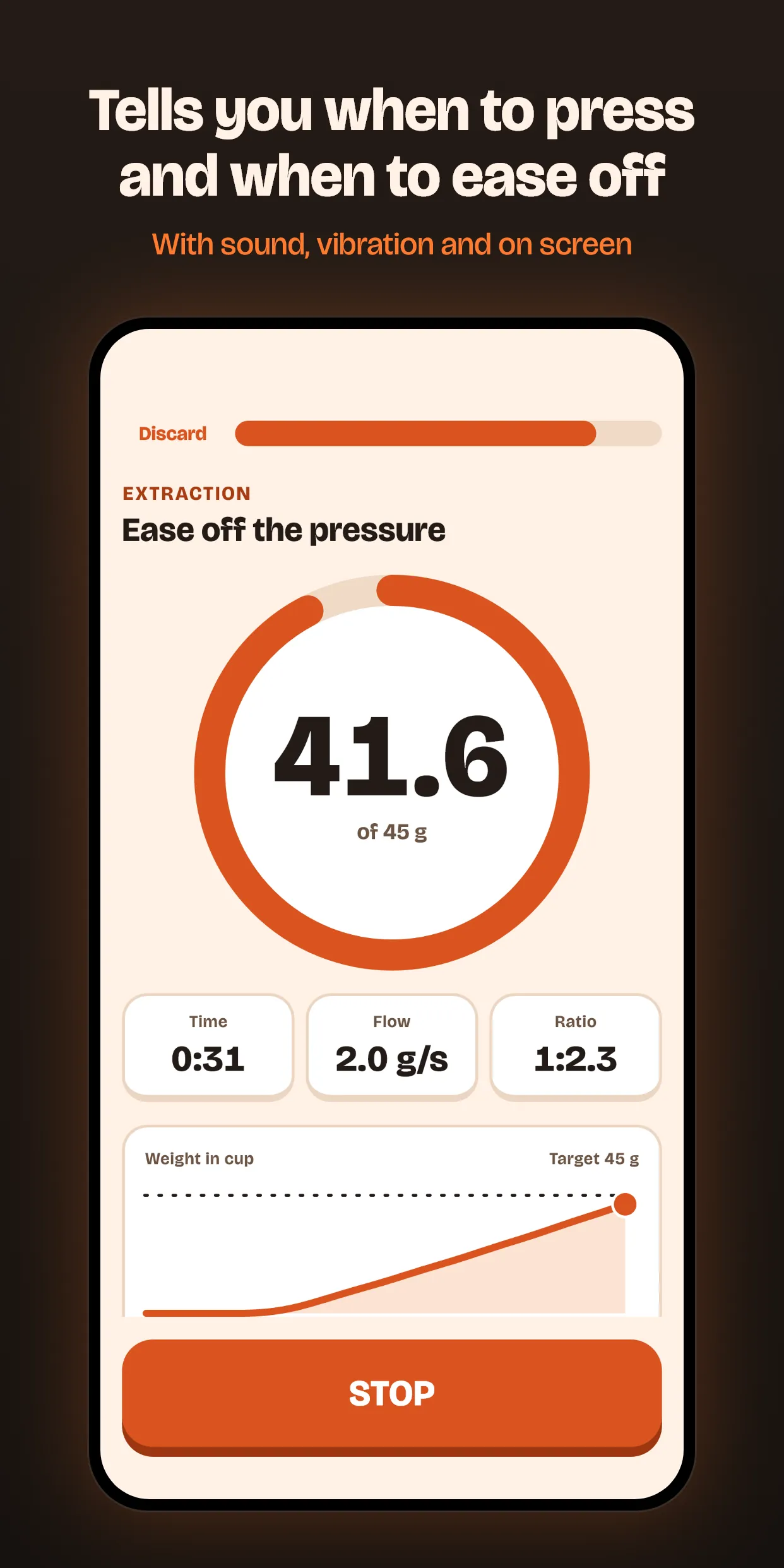
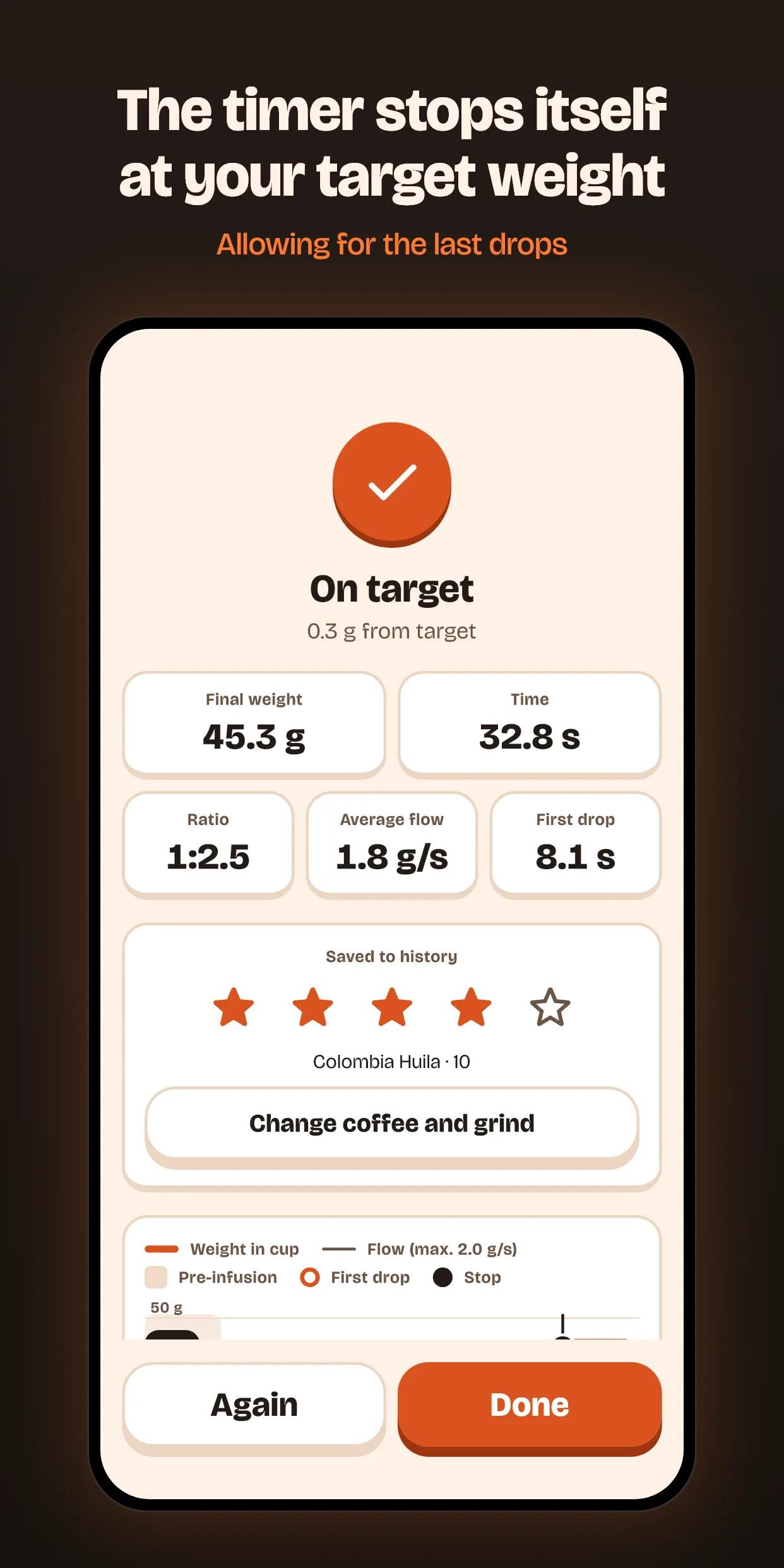
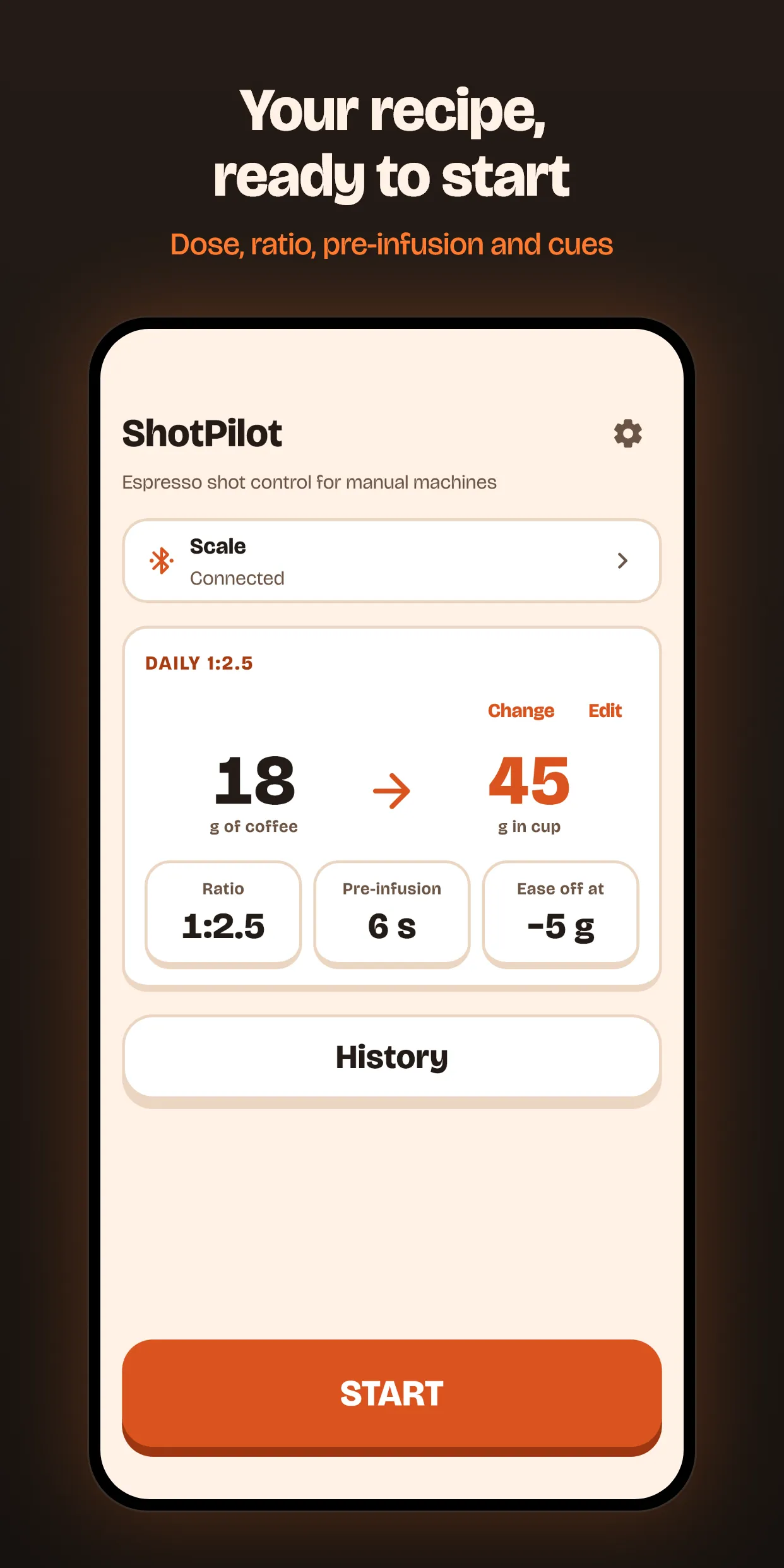
Connect your Bluetooth scale, pick a recipe and tap START. The app counts down, zeroes the scale, tells you when to press and when to ease off, and stops the timer when you reach your target weight.
Free. No account, no ads and no internet connection.
How it goes
One shot, from the countdown to the last drop
The times and weights here are examples: yours come from the recipe you save.
-
−5 s
Countdown
Tap START and put the phone down. The countdown beeps so your hands are on the machine before it begins.
-
0.0 s
Tare and timer
At zero the app zeroes the scale and starts the timer. Nothing to touch with wet hands.
-
8 s
End of pre-infusion
When the pre-infusion in your recipe is up, the cue sounds: time to press.
-
32 g
Cue to ease off
A little before the target it tells you to let go of some pressure, so the end does not run away from you.
-
36 g
Auto-stop
The timer stops at the target weight, allowing for the last drops. The app learns from your shots how early it needs to stop.
Every cue sounds, shows on screen and vibrates. The weight is in huge type, readable from a metre away.
Afterwards
What is kept from every shot
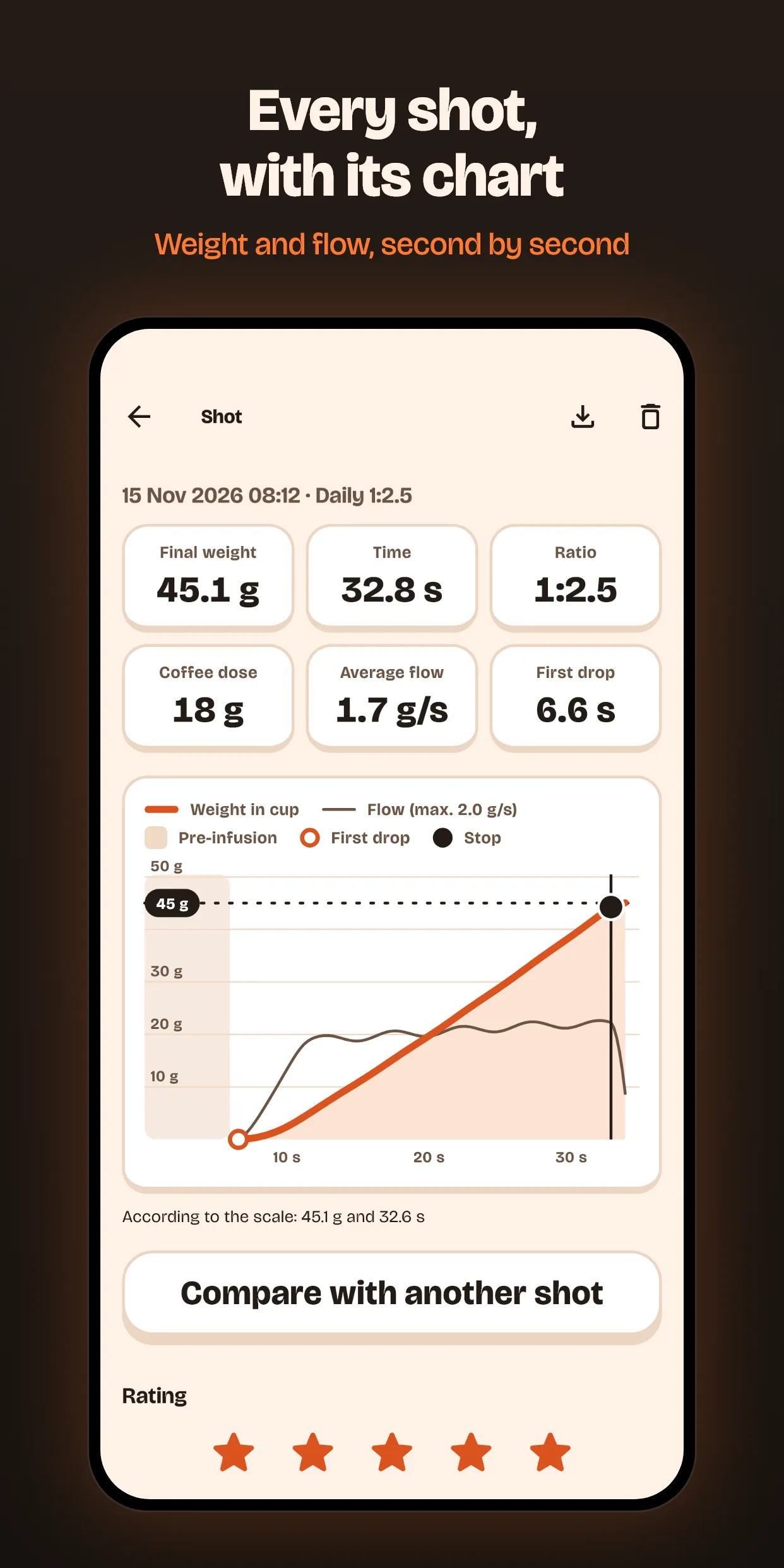
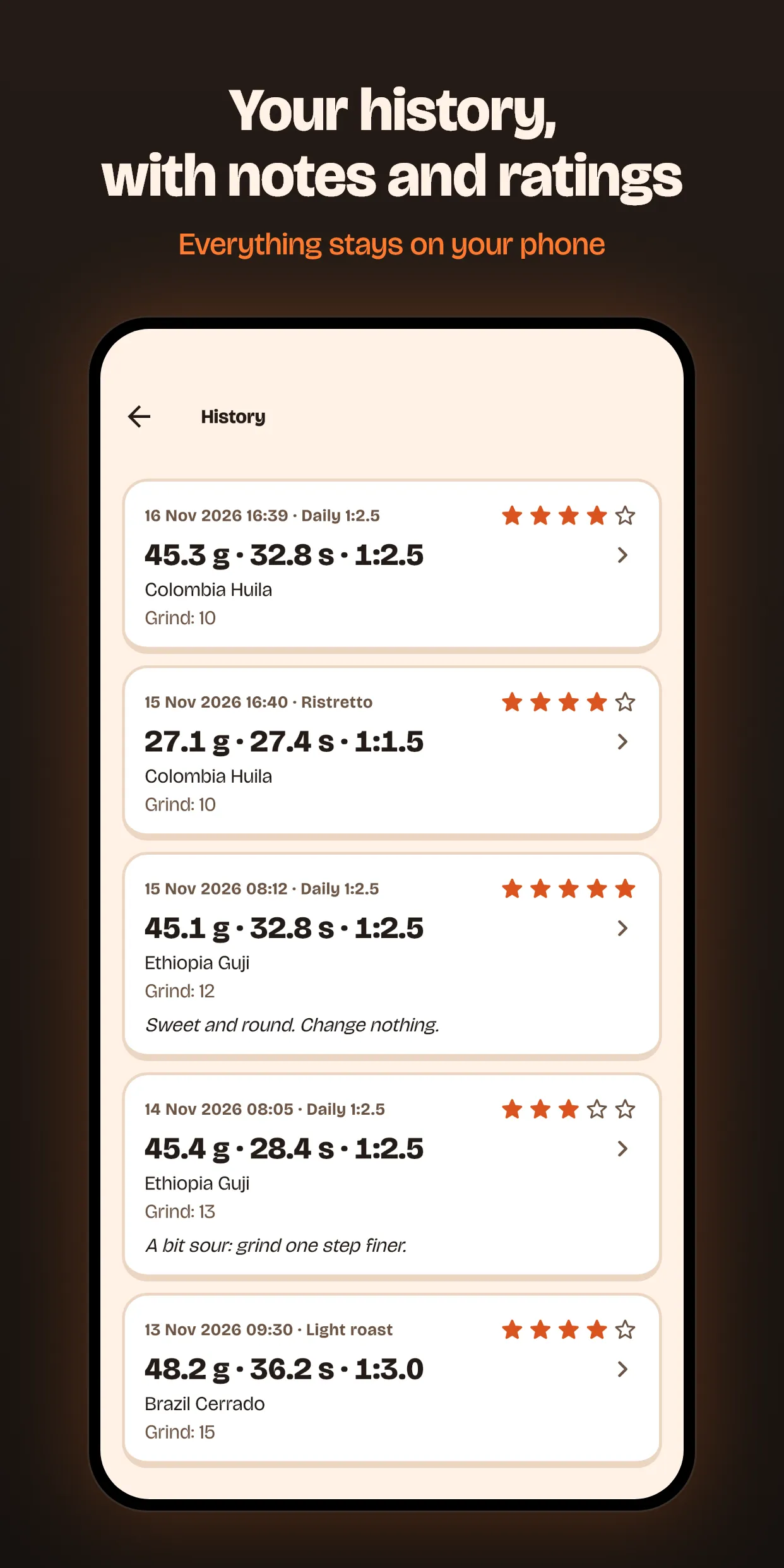
There is no “save” to tap. When the shot ends it is already in your history, with its weight and flow chart.
- Rate it and note the coffee, the grinder and the grind setting. The app suggests what you have typed before.
- Filter your history by rating, roaster, coffee or grinder.
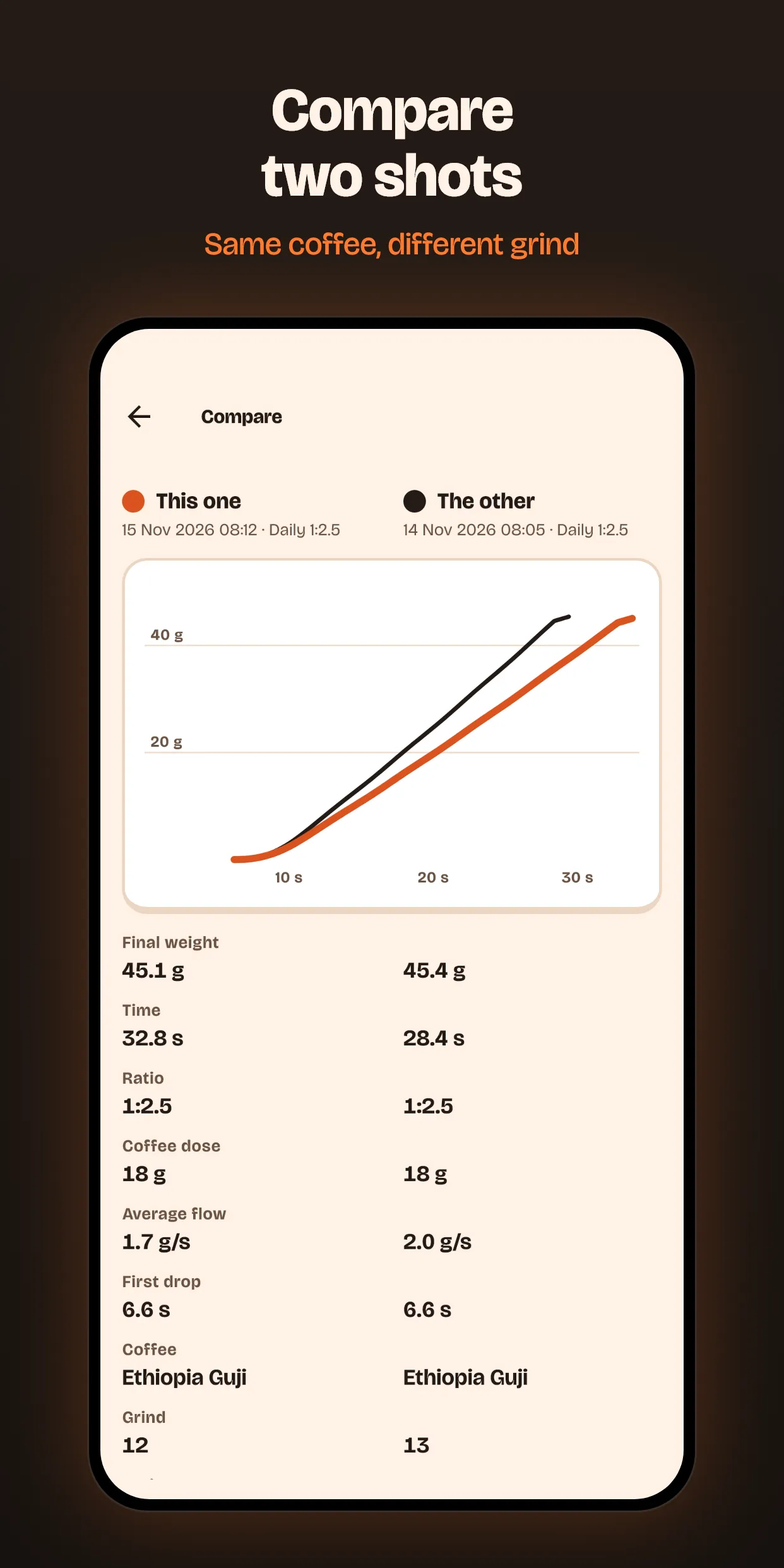
- Compare two shots on the same chart.
- Share an image of the shot, export the curve to CSV or back everything up to a file.
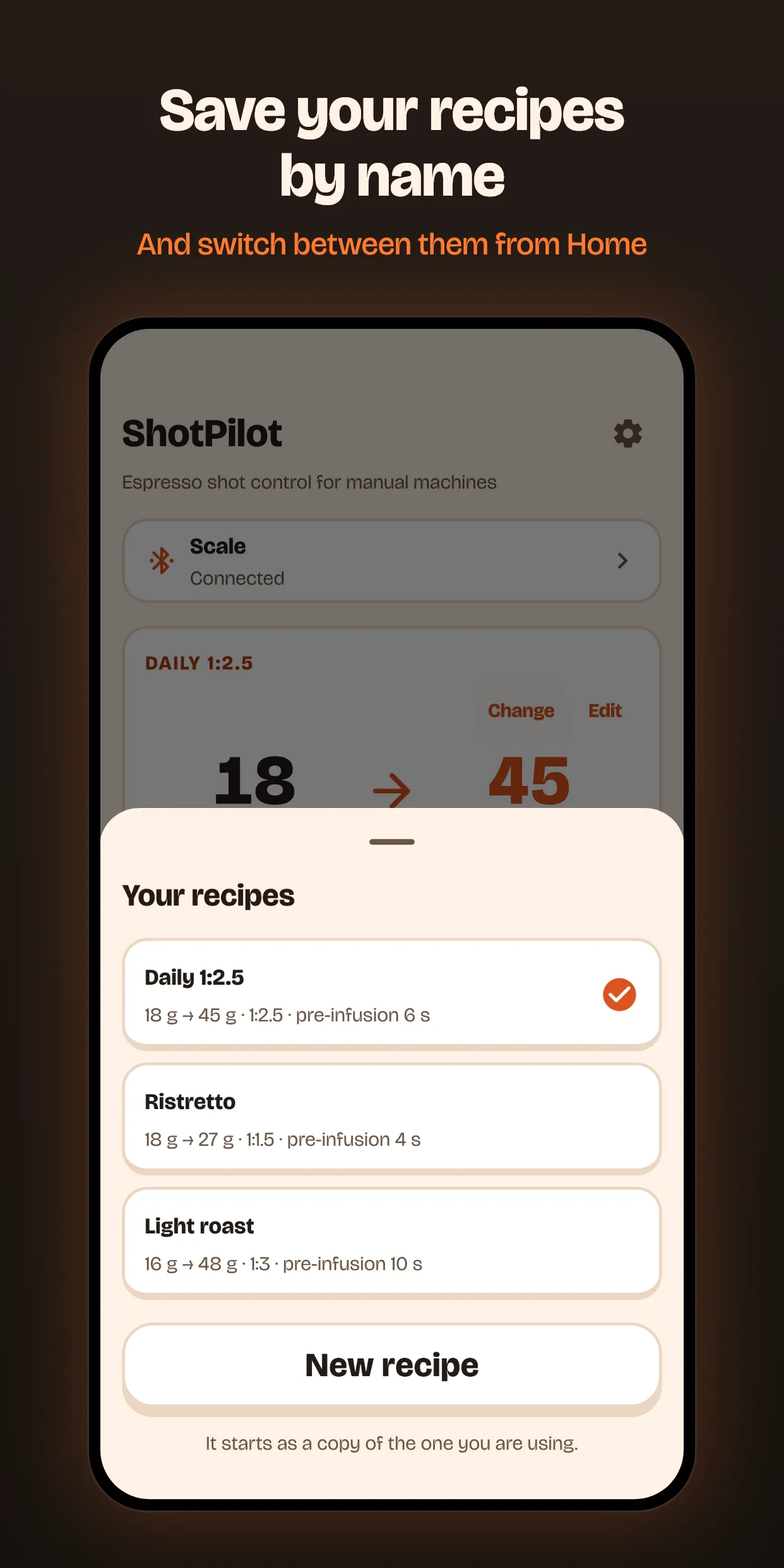
- Save several named recipes and switch between them from the main screen.
If you would rather not waste coffee trying it, there is a simulated practice shot that explains each phase.
Privacy
What the app knows about you
- 0 accounts
- 0 ads
- 0 internet connections
The app does not request internet permission, so it could not send anything even if it wanted to. Your recipes and history stay on your phone and only leave when you export or share something. The only permission is Bluetooth, to talk to the scale.
Read the privacy policyCompatibility
What it works with today
- Scales
- Bookoo Bluetooth scales. I have tested it with the Themis Mini. More will follow.
- Machines
- Twin-arm manual machines, like the Cafelat Robot, and lever machines, like the Flair.
- No scale
- The app works as a guided timer.
- Phone
- Android. An iPhone version will come later.
- Languages
- English, Spanish and Catalan.
Support the project
ShotPilot is free and has no ads
If the app is useful to you and you would like to help, you can buy me a coffee on Ko-fi. Whatever comes in goes to what is next on the list: the iPhone version and more scales. To add a scale I need to have it in my hands and test it.
Buy me a coffee on Ko-fiIt is voluntary and unlocks nothing: the app is the same for everyone.